
 People
Simplify payroll & employee management
Automate payroll processing, employee records, and tax calculations with Wizard Cloud ERP’s Payroll & HR Module. Reduce administrative work, ensure compliance, and keep your workforce organized, all in one system.
Updated August 2026
| Department | Headcount | Cost | Status |
|---|---|---|---|
| Operations | 58 | $34,200 | Approved |
| Sales | 31 | $24,900 | Approved |
| Warehouse | 28 | $16,400 | Approved |
| Finance | 13 | $12,100 | In review |
| Admin | 12 | $8,880 | In review |
Fast, accurate, and automated payroll

Payroll processing & tax compliance
Calculate salaries, deductions, and taxes automatically, ensuring error-free and on-time payroll.

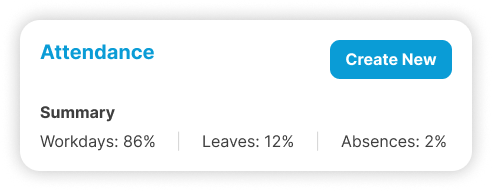
Employee records & attendance tracking
Manage employee profiles, work hours, leaves, and end-of-service calculations without extra work.
- Pending
M. Haddad · Annual leave
3 days
- Pending
S. Khoury · Overtime
12 hours
- Review
R. Bou Karim · Advance
$400
Reduce payroll errors & save time
Wizard Cloud ERP automates payroll management so you can focus on growing your business, not manual calculations.
Everything you need for payroll & HR
Automate payroll and employee management with a powerful, easy-to-use system.

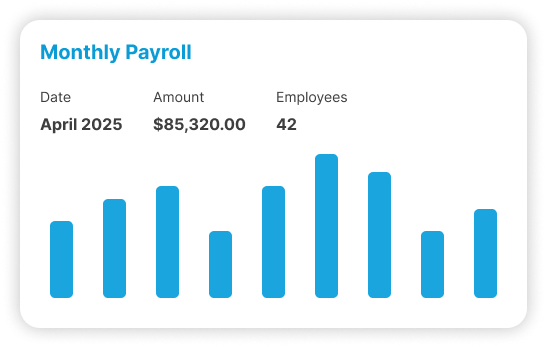
Payroll processing & salary slips
Generate payroll automatically, including bonuses, deductions, and benefits.

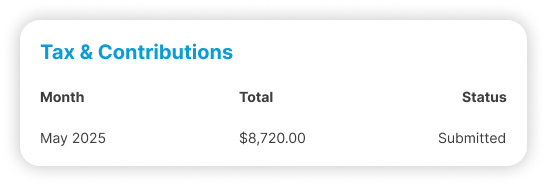
Tax & NSSF contribution reports
Ensure compliance with tax filings and social security contributions.

Leave & attendance management
Track employee hours, vacation days, and sick leaves with real-time data.

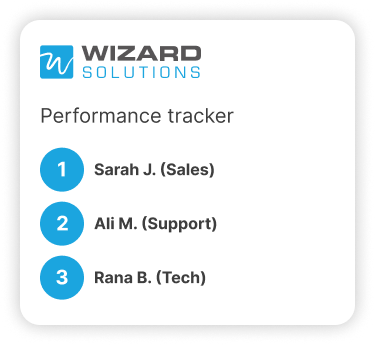
Performance & appraisal tracking
Monitor employee performance and manage appraisal processes.
Who runs Payroll
The sectors where this one does the most work. Each has its own page.




Why does payroll get harder as a company grows?
Because each new rule becomes another column in a file only one person understands. Paying twelve people from a spreadsheet works. Paying sixty, with different contract types, unpaid leave, overtime and end of service accruals, does not, and the errors usually surface in front of the employee rather than in a review.
The pattern is always the same. Somebody in finance built the payroll sheet years ago and it still works, because that person keeps it working. Then a new contract type arrives, or a second branch opens, or the person takes leave in the same week salaries are due.
Payroll inside the ERP moves the rules out of the file and into the employee record. The contract, the salary, the allowances, the deductions and the leave balance sit against the person. A payroll run reads those records instead of a copy of them that somebody updated in January.
What actually happens during a payroll run?
You open the period, and the system pulls each employee's contract, attendance, leave, overtime and any one off items, then calculates gross pay, deductions, tax and social security. Payslips come out for review. Nothing is final until somebody approves it, and the accounting entries post from the same run.
The review step matters more than the calculation. Most payroll complaints come from a wrong input rather than wrong arithmetic: a missed leave day, an allowance that stopped, a rate that changed mid month. Those are visible on the draft run, while the money is still in the account.
| Payroll step | On spreadsheets | In Wizard |
|---|---|---|
| Collecting attendance | Chased from branch managers by email | Already recorded against each employee |
| Overtime and unpaid leave | Added by hand at the end of the month | Carried from the leave and attendance records |
| Tax and NSSF | Recalculated in a parallel sheet | Calculated in the run and reported from it |
| Payslips | Merged and sent out one by one | Generated per employee from the run |
| Posting to the accounts | One summary journal, keyed in again | Posted by department and cost centre |
| Fixing a mistake | Correct the sheet, then redo everything after it | Correct and reprocess before the run is approved |
How are leave balances and end of service kept accurate?
They build up as time passes instead of being reconstructed when somebody resigns. Approved leave comes off the balance when it is approved, and end of service entitlement accrues against each employee's service and salary history, so the figure you owe is available before the conversation, not two days after it.
This is the part companies discover late. An employee with nine years of service leaves, and finance spends a day and a half rebuilding the entitlement from old contracts and salary changes that were never recorded in one place.
Because salary history sits on the employee record with dates on it, the calculation uses what the person was actually paid and when it changed. Leave approvals move through the system rather than through WhatsApp, which is also where most disputed leave days come from.
Leave balances
Accrued by policy, reduced when leave is approved, visible to the manager who signs it off.
Salary history
Every change carries a date, so an old period can be recalculated correctly.
End of service
Builds continuously against service length and salary instead of being estimated at the end.
Who is allowed to see salary information?
Only the people you give access to. Payroll runs on roles, so a branch manager can approve attendance and leave without seeing what anyone earns, while finance sees the full run. This is usually why payroll was kept in a separate file in the first place, and it stops being a reason.
Access control is the quiet requirement in payroll. Companies keep the sheet on one laptop because that feels safer than putting salaries in a shared system, and then the entire process depends on that laptop and the person using it.
Roles handle it more cleanly. The data sits in the system with a record of who changed what, which is a stronger position than a file that can be copied to a USB stick without anybody knowing it happened.
Can we see what a department or a project really costs in salaries?
Yes, as long as employees are coded to departments or cost centres when they are set up. Payroll then posts salary cost where the work happened instead of into one wages line, so labour cost per branch, per department or per project stops being a number somebody estimates once a year.
Most companies report a single wages figure for the whole business and then argue about how to split it. The split is guesswork, it is usually done for a budget meeting, and nobody involved fully believes it.
If you also run the project module, labour can be charged to the job it was spent on. That changes what a project margin means. Work that looked profitable on materials alone often looks different once the crew on site is counted properly.
How long does it take to move payroll off spreadsheets?
Plan for a parallel run. Most companies spend a few weeks setting up contracts, allowances and opening leave balances, then run one or two months in both the old sheet and the system and compare them line by line before switching. The software is not the slow part.
The honest caveat: payroll is the module where existing data is usually in the worst shape. Contracts sit in a filing cabinet, leave balances live in three places, and nobody has a definitive list of allowances by person. That cleanup has to happen with or without new software.
It is also why payroll is rarely the first module a company goes live with. Accounting normally comes first, and payroll follows once the chart of accounts and the cost centres are settled, because that structure is what payroll posts into.
Connected to the rest of the system
The Payroll & HR Module works alongside other key business functions for a fully integrated workforce solution.

Accounting
Post entries automatically, reconcile the bank, and close the month without rebuilding it in Excel.

Project Management
See cost against budget while a project is still running, not after it has finished.

CRM
Every lead, quote and conversation on one customer record, with their balance right there.

Fixed Assets
Track what you own from purchase to disposal. Depreciation posts itself.
Trusted by businesses across Lebanon and the Gulf





Businesses already running on Wizard
Wizard Cloud ERP completely streamlined our operations, online and in-store. From inventory syncing to order fulfillment, everything now runs smoother, faster, and with fewer errors.
AghasarkissianRetail, online and in-storeManaging multiple restaurants under one group was a challenge, until Wizard Cloud ERP stepped in. We now have better visibility, centralized control, and smoother day-to-day operations across every concept.
Al Mandaloun GroupHospitality, multi-outletWizard Cloud ERP brought structure and clarity to our luxury business. From sales tracking to customer experience, we now operate with precision while maintaining our premium standards.
Choucair GroupLuxury retailWizard Cloud ERP gave us full control over our multi-branch retail operations. We can manage inventory, sales, and customer data seamlessly, all from one platform.
K-LynnMulti-branch retailAs exclusive brand distributors, we needed visibility and flexibility. Wizard Cloud ERP helps us track every shipment, order, and partner account with confidence.
M. Nassif & FilsExclusive brand distributionHandling installations, service, and logistics at scale used to be complicated. With Wizard Cloud ERP, we now track every detail across departments; streamlined, connected, and always up to date.
OTISInstallation and field service
Questions we get asked
If yours is not here, ask on the demo call. We would rather tell you it is not a fit than sell you the wrong thing.
Ask us directlySee it running on your own numbers
Bring one messy process, the one that eats your week, and we will show you what it looks like inside Wizard. If it is not a fit, we will say so.
- Thirty minutes, and you can bring your finance person
- We look at the tools you run today before we show you anything
- Nothing to sign and no card needed
- 1You tell us what is breakingA short form: your sector, rough size, and the process that hurts most.
- 2We come back within one working dayWith whether we are a fit, and which modules would actually apply.
- 3A demo built around your caseNot a generic tour. Your workflow, your kind of data.